Best Touch Screen Car Entertainment System for Back Seats
Discover top touch-screen car entertainment systems designed to keep passengers engaged on road trips and daily commutes. This guide highlights five high-performing models featuring Android OS, 4K playback, wireless screen mirroring, and robust connectivity. Each entry includes key specs, real-world use considerations, and clear buying guidance to help you choose the right headrest monitor for your vehicle and family needs.
| Product | Screen Size | OS | |
|---|---|---|---|
| WONNIE 13.3″ Headrest Monitor (B0F3891J5G) | 13.3″ | Android 13 | 4K playback, OTA updates, wireless mirror link |
| WONNIE 13.3″ Headrest Monitor (B0F38F9GZM) | 13.3″ | Android 13 | 4K playback, OTA updates, wireless mirror link |
| AINAVI 15.6″ Headrest Monitor (B0F4N52RG9) | 15.6″ | Android 13 | 4K playback, Google Play, OTA updates |
| WONNIE 16″ Headrest Monitor (B0FH2FQNR1) | 16″ | Android 13 | 4K playback, wireless mirror link, OTA updates |
| GTRUI 10.1″ Headrest Monitor (B0FNC4Q7PX) | 10.1″ | Android 13 | 4K decoding, in-cell touch, 5G WiFi |
Note: All products support wireless phone mirroring, multiple video formats, and HDMI/USB inputs, making them versatile for family use, streaming apps, and offline media playback.
WONNIE 13.3″ Headrest Monitor with Android 13

13.3″ HD IPS touchscreen delivers 1920×1200 resolution with 4K playback support. The device runs Android 13, supports OTA updates, and offers built-in WiFi to stream from services like YouTube, Netflix, and Disney+. Miracast/AirPlay capabilities enable wireless screen mirroring from Android and iOS devices. A remote-ready MyCar Link app enhances rear-seat control, simplifying playback and app navigation for backseat passengers.
WONNIE 13.3″ Car TV Headrest Monitor (Second Model)

This 13.3″ Android 13 headrest monitor mirrors the features of the other WONNIE model: vibrant 1920×1200 IPS touchscreen, 4K playback, OTA updates, and robust app support via Google Play. Its wireless mirroring and remote control via MyCar Link provide convenient rear-seat management, making it suitable for long journeys and daily rides with multiple passengers.
AINAVI 15.6″ Android Headrest Monitor

With a larger 15.6″ 1920×1080 display, this model supports 4K video playback and runs Android 13, enabling Google Play app installation and OTA updates. It includes both HDMI and USB inputs for flexible media connectivity and supports wireless screen mirroring. The MyCar Link remote app is designed for easy rear-seat navigation and control, useful for family entertainment on longer trips.
WONNIE 16″ Car TV Headrest Monitor
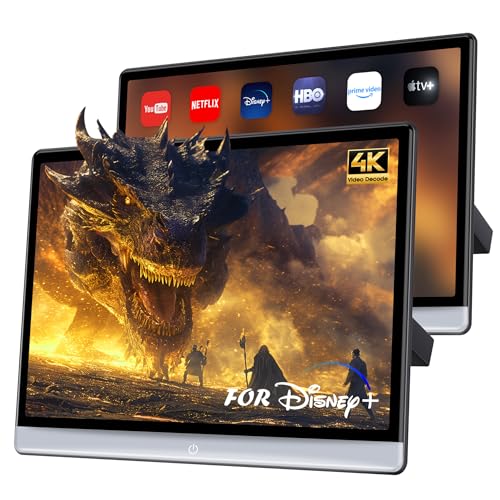
This 16″ FHD IPS touch display delivers immersive backseat viewing with 1920×1200 resolution and 4K playback support. Android 13 powers the system with OTA updates, while wireless Mirroring via Miracast/AirPlay supports seamless content sharing from mobile devices. Connectivity options include WiFi, Bluetooth, HDMI, and USB, making it a versatile centerpiece for a family vehicle.
GTRUI 10.1″ Android Headrest Player
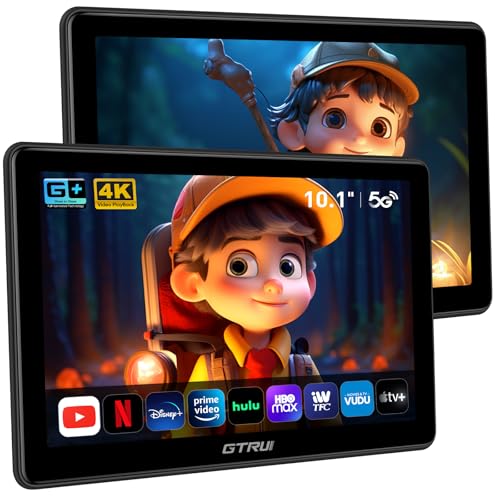
Compact 10.1″ headrest monitor with Android 13, 5G WiFi, and 4K video decoding. In-cell touch technology provides a smartphone-like experience with responsive input. It supports Miracast/AirPlay for wireless screen sharing and offers a range of media formats via USB/HDMI inputs, making it a practical choice for smaller vehicles or secondary rear-seat screens.
Buying Guide
Key considerations when selecting a touch screen car entertainment system:
- Screen size and placement: Larger displays provide a more immersive experience but may impact visibility and headroom. Consider your vehicle’s interior space and seating arrangement.
- Operating system and app ecosystem: Android 13 enables Google Play access and app flexibility. Check OTA updates for long-term security and feature improvements.
- Connectivity and media formats: Look for 4K video support, HDMI/USB inputs, and reliable wireless mirroring (Miracast/AirPlay). WiFi 5G/2.4 GHz helps streaming and app downloads.
- Mirroring and remote control: Wireless phone mirroring keeps passengers entertained without needing physical devices. A remote app like MyCar Link can simplify control from the driver’s seat.
- Storage and performance: 2GB+ RAM/32GB+ ROM is common; more RAM improves multitasking, while larger storage helps store offline content and apps.
- OTA updates and build quality: Automatic updates extend device longevity and ensure compatibility with streaming services and apps.
- Power and mounting: Ensure compatible power requirements and car headrest mounting hardware. Verify compatibility with vehicle seats and backrest design.
- Voice and safety features: Some models include hands-free capabilities and quick access to media without distracting the driver.
When comparing models, weigh screen size against vehicle type and travel needs. For family use, prioritize robust streaming apps and reliable WiFi connectivity. For children’s entertainment, consider parental controls and simple remote operation. For tech enthusiasts, examine processing power, 4K support, and expandability through app ecosystems.