Best Auto GPS Devices for Smart, Safe Navigation in 2026
Finding reliable auto GPS navigation can transform road trips and daily commutes. This guide highlights five top picks with clear screens, up-to-date maps, and driver-friendly alerts. Each option below is chosen for usability, feature depth, and value, helping you pick a device that fits your vehicle and driving style.
style=”display:none;”>Summary Table of Selected Products
| Product | Brand | Key Benefit | Screen Size | |
|---|---|---|---|---|
| Garmin DriveSmart 86 | Garmin | High-contrast maps with voice assist | 8 in | North America maps, live features |
| Garmin DriveSmart 76 | Garmin | Bright, easy-to-read display | 7 in | Comprehensive point-of-interest data |
| Garmin Drive™ 53 GPS Navigator | Garmin | Simple menus, helpful alerts | 5 in | School zones, fuel/rest area info |
| 7″ GPS Navigator for Car Truck RV | VOUJUCY | Vehicle-size routing for trucks/RVs | 7 in | Lifetime map updates |
| TECXERLLON 10.26” Portable CarPlay Screen | TECXERLLON | Wireless CarPlay with dash cam | 10.26 in | 4K dash cam, real-time navigation |
Garmin DriveSmart 86: 8-Inch Car GPS Navigator
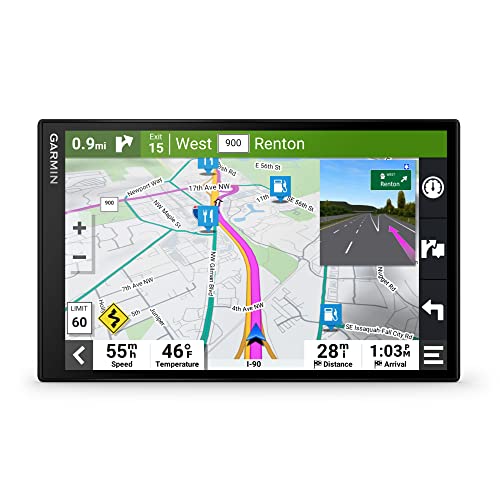
The Garmin DriveSmart 86 provides an 8-inch high-resolution dual-orientation display, designed for easy map reading while driving. It offers live traffic and weather, smart notifications, and Voice Assist to respond to questions hands-free. The unit supports hands-free calling when paired with a compatible smartphone and includes a national parks directory and a rich database of Foursquare POIs for finding places by name. Map updates for North America help keep routes current, and driver alerts warn of traffic, school zones, and other potential hazards along the journey.
Garmin DriveSmart 76: 7-Inch Car GPS Navigator
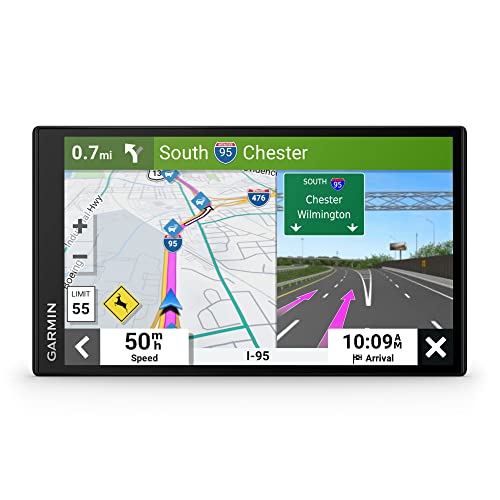
The DriveSmart 76 presents a bright 7-inch display with crisp maps and Garmin’s signature voice assist. It supports hands-free calling via Bluetooth and provides live traffic and weather updates, traffic cams, and parking information. The navigator includes a National Parks Directory and a comprehensive list of POIs, enabling users to quickly find notable destinations. Its user interface emphasizes ease of use, with clear menus and simplified onboarding for new drivers.
Garmin Drive™ 53 GPS Navigator

The Drive 53 emphasizes a simple, on-screen experience on a bright 5-inch display. It provides essential driver alerts such as school zones, speed changes, and sharp curves, along with the ability to view nearby food, fuel, and rest areas along the route. This compact navigator is designed for everyday use and features straightforward menus for quick routing, making it a practical choice for smaller vehicles or rental cars where space is at a premium.
7” GPS Navigator for Car Truck RV

This 7-inch GPS navigator from VOUJUCY targets broader vehicle use with lifetime North America map updates and dynamic routing that accounts for vehicle size. It includes voice navigation in multiple languages and real-time alerts for upcoming turns, traffic lights, and speed changes. The device supports customized vehicle size routing to avoid restricted roads due to weight or width limits, making it suitable for cars, trucks, and some RVs. The combination of lifetime updates and tailored routing helps maintain reliable navigation over time.
TECXERLLON 10.26” Portable CarPlay Screen

The TECXERLLON portable screen delivers a large 10.26-inch display with Wireless CarPlay and Android Auto, making it compatible with most smartphones for maps, music, and calls. It includes a 4K dash cam with a G-sensor for incident recording and a 1080P rear camera with parking guidelines. The device aims to combine navigation with safety features, offering faster boot times and stable wireless connections for a more seamless on-road experience.
Hererod 9.3″ CarPlay Screen with Backup Camera

The Hererod 9.3-inch CarPlay screen melds wireless CarPlay/Android Auto with a comprehensive multimedia setup. This all-in-one display supports navigation, Bluetooth music, FM radio, a dash cam, and a backup camera in one unit. The spacious touchscreen makes maps and apps easy to see, and wireless connectivity keeps maps up-to-date while driving. Dual cameras provide recording coverage for enhanced safety and evidence in case of incidents on the road.
LANGDA Portable CarPlay Screen: 7-Inch Wireless CarPlay
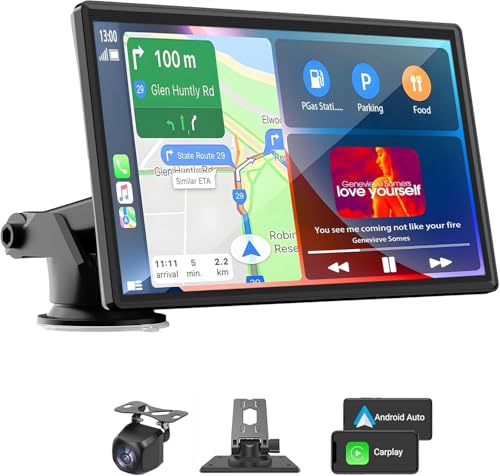
The LANGDA 7-inch portable CarPlay screen offers wireless CarPlay and Android Auto connectivity, enabling hands-free navigation and safer driving through voice control. The device emphasizes easy installation and universal compatibility, making it a practical upgrade for vehicles lacking built-in CarPlay or Android Auto. Its HD touchscreen and mirror-link capabilities provide a user-friendly experience for accessing maps, music, and apps on the road.
Buying Guide: Key Purchase Considerations
- Screen size and readability: Larger screens reduce eye strain and improve map visibility, especially for long trips or in low-light conditions. Consider your vehicle’s dashboard space and how you plan to mount the device.
- Map updates and coverage: North America-wide maps with lifetime or regular updates help ensure routes reflect current roads, closures, and new traffic patterns.
- Navigation features: Look for real-time traffic, live weather, lane assist, and voice-guided directions. Driver alerts (speed changes, sharp curves, school zones) add safety benefits.
- Connectivity options: Bluetooth for hands-free calls, Wi-Fi or cellular for map updates, and compatibility with CarPlay/Android Auto can influence ease of use and feature access.
- Vehicle compatibility: Some models offer vehicle-size routing for trucks or RVs, while others are geared toward cars. Confirm the device supports your vehicle type if needed.
- Additional safety tools: Dash cams, rear cameras, and parking guidance can complement navigation by providing extra situational awareness.
- Installation and portability: Portable or mountable units affect setup time and the ability to transfer the device between vehicles.
- User interface: Simple menus and intuitive controls reduce distraction while driving. Check for customizable preferences and quick-access shortcuts.
These considerations help tailor a choice to your driving patterns, whether you prioritize offline reliability, real-time traffic, or an all-in-one multimedia experience. By comparing display size, update policies, and safety features, you can identify a model that aligns with your daily routes and long road trips alike.