Best Car Diagnostic Tools for Laptop: Top OBD2 Scanners for PC Use
Finding the right car diagnostic tool that pairs well with a laptop means balancing compatibility, data depth, and ease of use. The following picks are strong options for users who want reliable code reading, live data streaming, and broad vehicle coverage, all with laptop-friendly features or compatible mobile-to-PC workflows. Each selection is evaluated for accuracy, ease of use, and diagnostic capabilities to help you identify issues quickly and plan repairs effectively.
| Product | Brand | Key Strength | Vehicle Coverage |
|---|---|---|---|
| ANCEL AD310 Classic Enhanced Universal OBD II Scanner | ANCEL | Fast read/clear, compact design | 1996+ OBD2 vehicles |
| FOXWELL NT301 OBD2 Scanner | FOXWELL | Clear fault codes, live data | Worldwide cars, SUVs, light trucks |
| BlueDriver Bluetooth Pro OBDII Scan Tool | BlueDriver | Premium repair reports, live data | 1996+ vehicles |
| FIXD Bluetooth OBD2 Scanner | FIXD | Real-time maintenance insights, app integration | 1996+ vehicles |
| Innova 5210 OBD2 Scanner | Innova | Battery tester plus live data | Most US/Asian/European vehicles |
ANCEL AD310 Classic Enhanced Universal OBD II Scanner
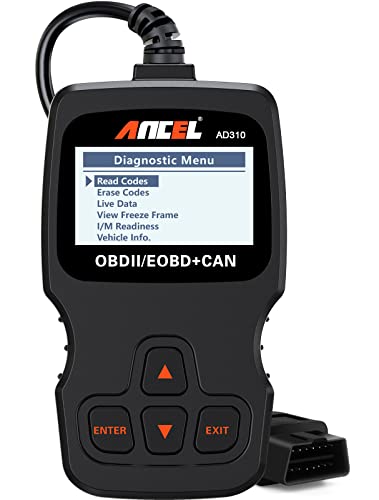
The ANCEL AD310 is a compact, budget-friendly OBD II scanner that supports 1996 and newer vehicles with OBD2 protocols. It reads and clears emission-related codes, displays live data, freeze frame, I/M readiness, and basic vehicle information. Its design emphasizes portability and straightforward operation, making it easy to use on a driveway or in a shop without extra power requirements. This model is popular for quick fault code checks and rapid confirmation of repair outcomes.
FOXWELL NT301 OBD2 Scanner

The NT301 focuses on essential systems with reliable DTC reading, emission readiness status, and VIN retrieval. It supports live data streaming and graphing for common vehicle systems, and is best described as a straightforward, affordable code reader. It does not claim coverage for ABS, TPMS, or advanced programming features, which helps keep correspondence simple for routine diagnostics and quick repairs after service.
BlueDriver Bluetooth Pro OBDII Scan Tool
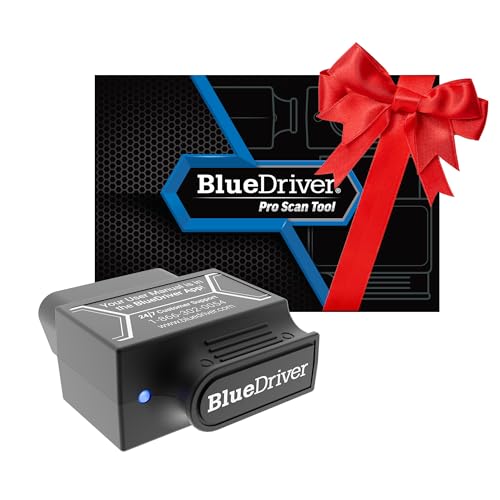
BlueDriver is a premium, subscription-free diagnostic tool that connects via Bluetooth to smartphones and tablets, making it highly laptop-friendly when paired with the right app on a Windows laptop or via a Windows laptop’s Bluetooth-to-mobile bridge. It reads and clears a wide range of codes, provides repair reports with possible causes, and offers live data monitoring for ongoing vehicle health assessment across many brands and models.
FIXD Bluetooth OBD2 Scanner
FIXD offers an app-centric approach to diagnostics with real-time maintenance insights and cost estimates. It diagnoses over 7,000 issues and includes a free trial of FIXD Premium. Its focus on user-friendly guidance makes it a practical choice for laptop users who prefer actionable recommendations alongside raw codes and live data.
Innova 5210 OBD2 Scanner

Innova 5210 combines OBD2 reading with a built-in battery tester, enabling quick checks of alternator health and battery status. It provides live data and the ability to read and erase engine codes, aiding both diagnostics and preventive maintenance. Coverage is broad for vehicles from 1996 onward, though the feature set is more targeted toward battery health alongside standard codes.
Buying Guide: Key Purchase Considerations And Comparisons
- Vehicle Coverage: Ensure the scanner supports vehicles produced in your region (US, EU, Asia) and your year range. Some tools emphasize wide CAN compatibility, others focus on basic OBD2 reads. If you need advanced functions (ABS, SRS, transmission, EVAP), verify those capabilities before purchase.
- Data Depth And Live Data: For laptop use, prioritize tools with robust live data streams, data logging, and the ability to export results. Graphing and trend analysis help diagnose intermittent issues more effectively when connected to a PC or tablet.
- Software And App Ecosystems: Bluetooth and Wi-Fi scanners pair with mobile apps or PC software. Look for updates, library size for DTCs, and whether the app supports multi-language interfaces and repair guidance without tied subscriptions.
- Ease Of Use: Devices with clear screens or straightforward menus reduce setup time. Compact, rugged designs are advantageous for on-vehicle work, particularly in cramped engine bays.
- Power And Connectivity: OBD port power is standard, but some tools require no extra battery. Bluetooth tools rely on external devices; ensure your laptop can pair and run the compatible software smoothly.
- Cost Of Ownership: Consider upfront price, app or database subscription costs, and whether the tool’s data depth justifies the investment for your use case.
- Ease Of Interpretation: Some scanners provide repair suggestions and integration with repair databases. If you prefer actionable steps over raw codes, prioritize those with clear explanations and suggested fixes.