Best Check Engine Diagnostic Tool for Quick Car Troubleshooting and Peace of Mind
Finding a reliable check engine diagnostic tool helps drivers identify faults, read codes, and confirm repairs without visiting a shop. This guide compares five strong options that cover a range of needs—from simple code readers to advanced scanners with live data and extensive DTC libraries. Each item listed below is designed to work with most OBD-II cars built since 1996, delivering fast results and clear code definitions for American drivers.
| Product | Brand | Key Benefit |
|---|---|---|
| ANCEL AD310 Classic Enhanced Universal OBD II Scanner | ANCEL | Fast, accurate diagnostic readings; compact and sturdy |
| WEJOWE OBD2 Scanner Diagnostic Tool | WEJOWE | Large DTC library and broad vehicle compatibility |
| BlueDriver Bluetooth Pro OBDII Scan Tool | BlueDriver | Subscription-free, comprehensive repairs guidance |
| VDIAGTOOL VD10 OBD2 Scanner | VDIAGTOOL | Clear DTC definitions with built-in database and TFT display |
| FOXWELL NT301 OBD2 Scanner | FOXWELL | CEL read/clear, live data, and VIN retrieval for quick checks |
Across these options, a few common themes emerge: broad vehicle compatibility, clear DTC definitions, and the ability to read and clear emission-related codes. Users should consider whether they need basic code reading or deeper features like live data graphs, VIN retrieval, and bilingual support. The following sections highlight each product’s strengths, with direct links to their Amazon listings for easy comparison.
ANCEL AD310 Classic Enhanced Universal OBD II Scanner
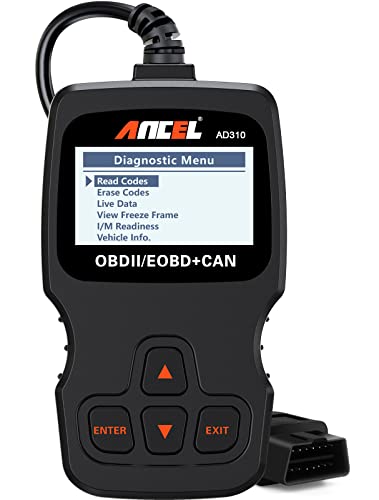
The AD310 is a compact, user-friendly OBD2 scanner designed to quickly identify emission-related problems. It reads and clears diagnostic trouble codes (DTCs), displays live data, and supports I/M readiness checks. Its 2.5-foot cable offers flexibility in cramped engine bays, and its straightforward button layout makes it accessible to DIYers and professionals alike. Powered directly from the vehicle’s OBDII port, it requires no external battery or charger, letting you diagnose on the go.
Features include: CEL reading, code clearing, live data, freeze frame viewing, and vehicle information capture. The device emphasizes speed and accuracy, delivering actionable results within seconds after a repair. Its durable build and light weight (about 12 ounces) make it easy to carry between jobs or use at home.
WEJOWE OBD2 Scanner Diagnostic Tool

The WEJOWE tool provides a comprehensive suite of functions for diagnostic work. It reads and clears codes, detects I/M readiness, retrieves the VIN, and offers live data streaming and freeze-frame analysis. A large built-in DTC library (over 35,000 entries) helps quickly identify fault causes across most 1996 and newer vehicles. The scanner is designed for broad compatibility and language support, making it a solid upgrade for those who want depth beyond basic code reading.
Key advantages include its extensive DTC database, multi-language support, and the ability to monitor live sensor data to pinpoint issues. It’s suitable for owners who want detailed diagnostics without relying on online lookups. It pairs well with straightforward DIY repairs and routine maintenance checks.
BlueDriver Bluetooth Pro OBDII Scan Tool
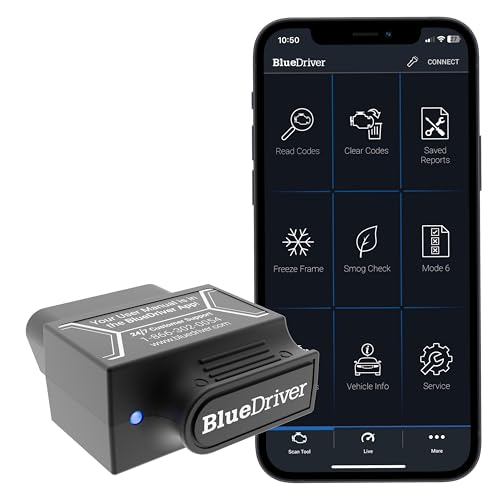
BlueDriver combines ease of use with professional-grade diagnostics. Operating via a Bluetooth connection to iOS or Android devices, it reads and clears trouble codes and provides enhanced diagnostics that are often accessible only with expensive tools. In addition to standard CEL readings, BlueDriver covers ABS, SRS, and other major systems, with repair tips and real-time health monitoring. The lack of subscription requirements means ongoing value is straightforward for everyday users and hobbyists alike.
What makes BlueDriver stand out is its repair guidance and comprehensive reporting, which often helps users choose the right next steps. It’s particularly useful for those who want a portable solution that doubles as a proactive maintenance assistant on the road.
VDIAGTOOL VD10 OBD2 Scanner
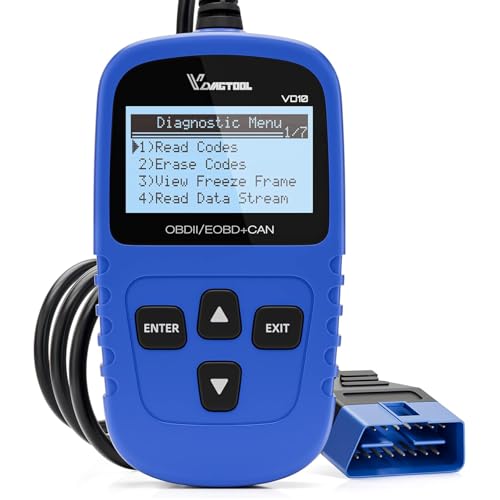
VDIAGTOOL VD10 is designed for DIYers and hobbyists who want an accessible yet capable tool. It offers code reading and clearing, freeze-frame data, I/M readiness, and broad compatibility with all OBD-II vehicles. The device uses a built-in database with DTC definitions to help users identify root causes quickly. Its TFT display makes reading results straightforward, even in bright or dim environments, and the tool supports multiple languages for diverse users.
Additional benefits include a simple plug-and-play setup and clear on-device feedback, allowing users to diagnose issues without external devices or apps. The VD10 emphasizes practical value for home garages and weekend projects, balancing features with ease of use.
FOXWELL NT301 OBD2 Scanner

FOXWELL NT301 provides a reliable, professional-grade experience for diagnosing engine problems. It reads DTCs, checks emission readiness, clears CEL or MIL, and can reset monitors. While it focuses on core diagnostics, the NT301’s live data streaming and clear fault code display help users track vehicle behavior over time. It is a practical choice for garage use, small shops, or tech enthusiasts who want dependable results without complex setups.
Important considerations include ensuring compatibility with your specific vehicle model, understanding which systems are supported (e.g., engine vs. ABS), and recognizing that some advanced functions may require a higher-end model. The NT301 offers a balanced blend of essential features and usability for routine maintenance and quick checks.
Buying Guide: Key Purchase Considerations
- Vehicle compatibility: Most OBD-II scanners work with vehicles from 1996 onward, but always verify supported protocols and regional variations (US, EU, Asia).
- Core features: Decide between basic code reading/clearing and advanced diagnostics (live data, freeze frame, VIN retrieval, DTC lookup libraries).
- Data presentation: On-device displays vs. app-based dashboards. Consider whether you prefer a standalone unit or a Bluetooth/Wi-Fi tool paired with a smartphone or tablet.
- Language and usability: Multilingual interfaces help in multilingual households or professional settings; intuitive menus save time.
- Reliability and support: Look for models with robust build quality, clear documentation, and dealer or manufacturer support for updates.
- Price and value: Higher-end models deliver deeper diagnostics; assess your needs against budget to determine the best value.
- Privacy and data handling: For Bluetooth tools, review how diagnostic data is stored or shared with mobile apps.
- Future-proofing: If your vehicle stack may grow (newer cars, hybrids), consider tools with broader coverage and ongoing updates.
In summary, the five recommended options provide a spectrum of capabilities: from simple code readers to comprehensive diagnostic tools. Each choice supports essential troubleshooting, reduces guesswork, and can help you decide whether professional service is needed. When selecting, prioritize compatibility, core features, and ease of use to match your driving needs and technical comfort level.