Best GPS Devices for Commercial Trucks: Reliable in-Cab Navigation and Load Planning
For professional truck drivers and fleet operators, choosing a GPS built for commercial routes is essential. The following selections prioritize truck routing, bridge height warnings, loading dock guidance, and Birdseye satellite imagery to help plan efficient trips. This article highlights five top-rated models, with key features that support safer, more predictable delivery runs across North America.
Summary of Selected Products
| Product | Brand | Main Benefit |
|---|---|---|
| Garmin dezl OTR720 | Garmin | Custom truck routing by vehicle size/weight; satellite imagery; loading dock alerts |
| Garmin dezl OTR620 | Garmin | 6-inch display with truck-specific routing and Birdseye imagery |
| Garmin dēzl OTR1010 | Garmin | Large 10-inch screen; enhanced arrival planning; Birdseye imagery |
| Rand RandTAB7 7-inch GPS Truck Navigator | Rand McNally | Industry-leading custom trucking routes; extensive POIs |
| Garmin dezl OTR500 | Garmin | Compact, reliable 5.5-inch with load-to-dock guidance |
Garmin dezl OTR720 — 7-Inch Truck Navigator
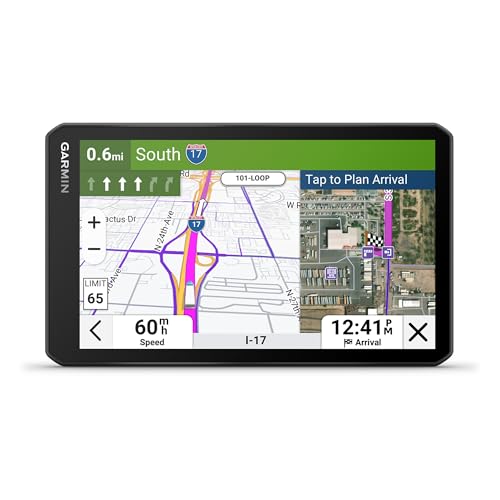
The dezl OTR720 focuses on large in-cab visibility with a bright 7-inch touchscreen. It supports custom truck routing based on the truck’s size and weight, though users should defer to posted road signs and conditions. The device includes alerts for bridge heights and sharp curves and provides loading-dock and security gate guidance. BirdsEye Direct Satellite Imagery offers high-resolution views of destinations to assist arrival planning and route verification. Diversified features make it suitable for regional hauls and cross-country runs.
Garmin dezl OTR620 — 6-Inch Truck Navigator

The OTR620 provides a compact 6-inch display with dedicated truck routing. It supports routing options based on your truck’s dimensions and weight, along with alerting for bridge heights and sharp curves. The model emphasizes convenient access to loading docks, truck entrances, and security gates, complemented by BirdsEye Direct Satellite Imagery for high-resolution destination previews. It’s designed for drivers who need reliable guidance without taking up too much dashboard space.
Garmin dezl OTR610 — 6-Inch Truck Navigator

The dezl OTR610 offers a bright 6-inch display with custom routing based on vehicle size and weight, plus warnings for upcoming bridge heights, weight limits, and steep grades. BirdsEye Satellite Imagery provides high-resolution aerial views of loading docks, truck entrances, and security gates to help with precise arrival planning. It’s a practical option for drivers who operate medium-length routes and need reliable, easy-to-read guidance.
Garmin dēzl OTR1010 — 10-Inch Truck Navigator
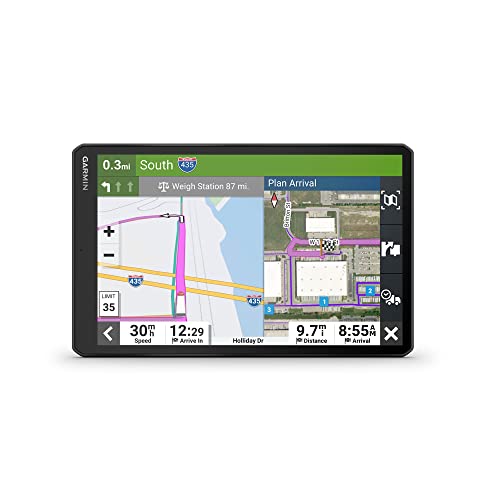
The OTR1010 raises the bar with a large 10-inch touchscreen that supports landscape or portrait use. It provides custom truck routing, considering size and weight, and displays alerts for bridge heights and weight limits. Birdseye Satellite Imagery supplies high-resolution aerial views of loading docks, truck entrances, and security gates, aiding complex arrival planning for longer hauls or hub-to-hub trips. Its expansive display helps reduce driver fatigue by presenting information clearly at a glance.
Garmin dezl OTR500 — 5.5-Inch Truck Navigator

The OTR500 offers a compact 5.5-inch touchscreen with essential truck routing and load-to-dock guidance. It supports custom routing based on truck size and weight and provides alerts for bridge heights and sharp curves. Built-in PrePass notifications help drivers anticipate weigh stations and bypass options, helping to streamline certain routes. It’s a practical choice for fleets needing reliable guidance in a smaller device footprint.
Buying Guide
- <strongTruck-specific routing: Look for devices that tailor routes to your vehicle’s dimensions, weight, and load type, with clear warnings for bridge heights and weight limits.
- <strongNavigation imagery: Birdseye/Traffic Satellite Imagery enhances destination previews and dock access planning, reducing on-site delays.
- <strongDock access and POIs: Ensure the device provides detailed loading dock data, security gates, parking availability, and nearby services like fuel and restaurants.
- <strongScreen size and usability: Larger screens reduce fatigue and improve readability; consider mounting space and glove-friendly controls.
- <strongReliability and updates: Prioritize models with regular map updates and reputable software support to reflect road changes and new facilities.
- <strongFleet compatibility: If operating multiple vehicles, check for compatibility with fleet management tools or centralized routing features.
- <strongRenewal options: For older devices, consider models with renewed or extended warranty options to balance cost and longevity.
- <strongPrice versus features: A higher upfront cost can be justified by features like larger screens, more accurate routing, and enhanced imagery for complex routes.
When choosing a GPS for commercial trucking, evaluate your typical routes, average trip length, and the importance of dock access information. The listed models offer a mix of screen sizes, imagery capabilities, and truck-aware routing that help minimize detours and delays while projecting more predictable delivery windows.