Best PC-Based Automotive Scan Tool for DIY Diagnostics
If you’re a do-it-yourself automotive enthusiast, a PC-based or USB/OBD-II diagnostic scanner can be a game changer. This guide highlights five capable options that connect with vehicles through OBD-II ports, offer live data, and help identify and clear codes quickly. Each tool blends ease of use with professional-grade features, making it easier to troubleshoot engine, ABS, SRS, and other systems. Read on to compare key capabilities and pick the right fit for your garage or driveway diagnostics.
| Product | Brand | Core Benefit | Notable Edge |
|---|---|---|---|
| ANCEL AD310 Classic Enhanced Universal OBD II Scanner | ANCEL | Reads and clears emission-related codes | Compact, fast, simple interface |
| BlueDriver Bluetooth Pro OBDII Scan Tool | BlueDriver | Comprehensive diagnostics with 7000+ codes | No subscription fees, real-time live data |
| FOXWELL NT604 Elite OBD2 Scanner | FOXWELL | 5-in-1 scan including ABS/SRS and transmission | Out-of-the-box ready, 2026 software |
| OHP FORScan OBD2 USB Diagnostic Tool | OHP | ELM327-based DIY diagnostics for Ford/related models | USB connection with MS/HS-Can switch |
| VDIAGTOOL VD10 OBD2 Scanner | VDIAGTOOL | DTC lookup, live data, freeze frame, I/M readiness | User-friendly TFT display with built-in database |
The following products represent a mix of traditional handheld units and PC-friendly tools that connect via USB or Bluetooth, offering robust diagnostic capabilities for common and advanced vehicle systems. Wherever possible, these tools provide live data streams, freeze-frame information, and the ability to clear codes, helping you pinpoint issues efficiently without always visiting a shop.
ANCEL AD310 Classic Enhanced OBD II Scanner
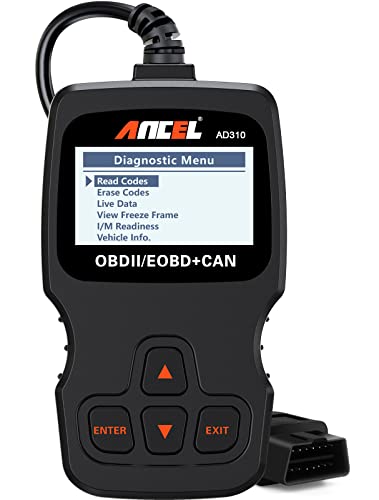
The AD310 is a compact, portable OBD-II scanner designed for quick fault code reading and clearing. It supports 1996 and newer OBD-II vehicles and delivers fast results on engine trouble codes, emission system status, and live data. Its sturdy build includes a thick 2.5-foot cable and clearly labeled buttons, making it practical for on-car use in tight engine bays. Users typically appreciate its straightforward operation, immediate feedback on codes, and the ease of turning off check engine lights after repairs. The device draws power from the vehicle’s OBD-II port, avoiding the need for external batteries or chargers.
BlueDriver Bluetooth Pro OBDII Scanner
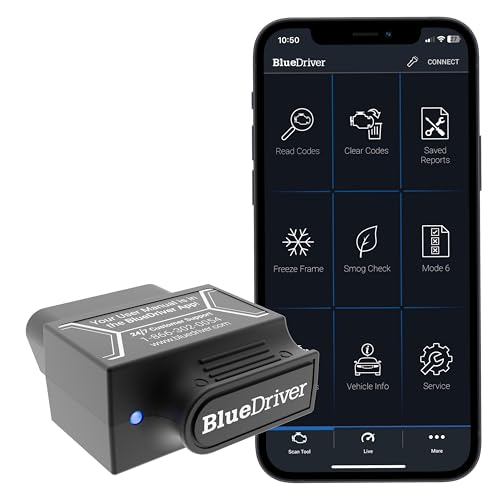
BlueDriver stands out as a subscription-free, professional-grade diagnostic tool that connects via Bluetooth to iPhone or Android devices. It provides in-depth code reading and clearing across engine, ABS, SRS, TPMS, and other modules, plus repair reports and live data. The tool’s strength is its ability to translate trouble codes into actionable insights with suggested fixes and real-time health monitoring. The app ecosystem enables frequent software updates, expanding coverage for newer vehicles and issues beyond basic code reading.
FOXWELL NT604 Elite OBD2 Scanner

FOXWELL’s NT604 Elite is a 5-in-1 diagnostic tool designed for broader vehicle health checks. It scans OBDII, ABS, SRS, and transmission systems, with live data streaming, DTC library, data playback, and the ability to print results. The 2026 version ships with updated software and is noted for being ready to use out of the box. While it’s marketed to car owners who want proactive diagnostics, it’s equally valuable for hobbyists who want a reliable, all-in-one tool without frequent software downloads. It’s important to note that it is a diagnostic tool, not a repair device.
OHP FORScan ELM327-Based OBD2 USB Diagnostic Tool
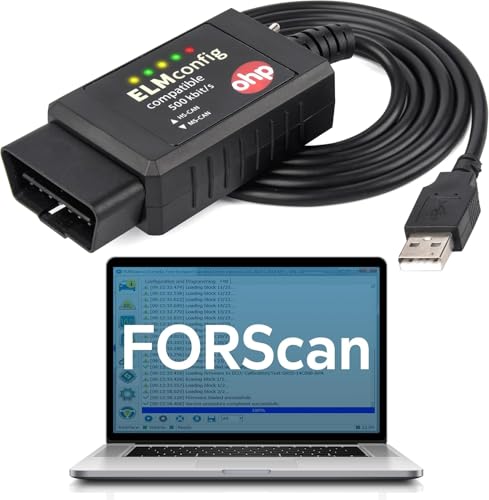
The FORScan-based OHP tool offers an ELM327-compatible USB interface with MS/Can and HS/Can switching. It’s tailored for Ford, Lincoln, Mazda, and Mercury vehicles using FORScan software to read, interpret, and clear DTCs. This setup is ideal for owners who prefer a PC-centric workflow and want to leverage FORScan’s diagnostic capabilities, especially for specialized Ford-family models. The adapter supports a broad baud rate range and is designed to deliver reliable data exchange with the vehicle’s ECU through a standard USB port.
VDIAGTOOL VD10 OBD2 Scanner
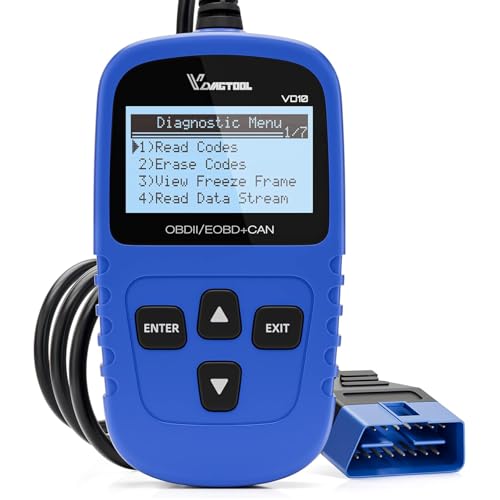
VDIAGTOOL’s VD10 is a user-friendly OBD-II scanner with a built-in database that explains DTC definitions on-screen. It supports reading and clearing codes, displaying live data, and showing I/M readiness and freeze-frame information. Its TFT display presents codes and definitions directly for quick interpretation, making it a practical option for DIYers who want a standalone device with a straightforward interface and a robust code library without needing a connected app.
Buying Guide: Key Purchase Considerations
- Vehicle coverage: Confirm that the tool supports your vehicle’s year, make, and model. Some units emphasize US vehicles, while others extend to European and Asian models.
- Systems covered: For broader diagnostics, choose tools that go beyond the engine to include ABS, SRS, transmission, and live data capabilities.
- Connectivity: Decide between handheld scanners, Bluetooth/Wi-Fi adapters, or USB-based PC connections. Bluetooth and USB options often enable more advanced software interfaces or PC-based workflows.
- Live data and graphs: Real-time data streaming, graphs, and history logs help diagnose intermittent issues and verify repairs.
- Code library and freeze-frame: A comprehensive DTC library with clear definitions and freeze-frame data speeds up fault localization.
- Software updates: Consider whether there are lifetime updates or subscription requirements. Lifetime updates reduce long-term costs and keep the tool current with new codes.
- Ease of use: User-friendly interfaces, clear menus, and readable displays reduce guesswork, especially for beginners.
- Bi-directional control (where available): Some high-end tools offer bi-directional tests and actuator control, which can validate repairs directly via the ECU.
- Power and portability: If you frequently work in tight spaces, a compact, well-built device with a sturdy cable and a readable screen makes field diagnostics easier.
Across these options, consider how you balance price, vehicle coverage, and feature depth. For straightforward code reading and clearing on common cars, compact handheld models deliver fast results. For in-depth diagnostics, live data, and PC-based workflows, tools with Bluetooth or USB connectivity and a robust software ecosystem provide greater long-term value. Evaluating your typical repair scenarios will guide the best choice for your garage setup.