Best WiFi OBD2 Scanners for iPhone, Android and More in 2026
Finding a reliable WiFi OBD2 scanner helps drivers diagnose engine issues, monitor live data, and save on repair costs. This guide highlights top WiFi-enabled OBD2 readers available on Amazon, covering compatibility across popular vehicles and smartphone ecosystems. Each pick offers real-time data, code reading, and easy-to-use apps for iOS and Android. Whether you drive a new sedan or an older truck, these scanners deliver clear diagnostics without special equipment.
Summary Of Chosen Products
- OBD2 WiFi Scanner for iPhone iOS Android Windows – Generic
- Veepeak OBDCheck BLE Bluetooth OBD II Scanner – Veepeak
- BlueDriver Bluetooth Pro OBDII Scan Tool – BlueDriver
- Vgate iCar Pro Wi-Fi OBD2 Scanner – Vgate
- WiFi ELM327 OBD2 Adapter – MOCATEC
OBD2 WiFi Scanner For iPhone And Android
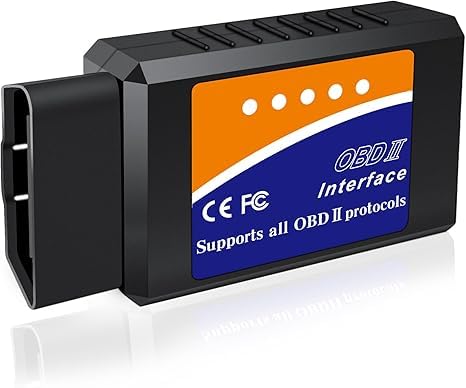
The Generic OBD2 WiFi Scanner is designed for broad compatibility with most 1996 and newer OBDII-compliant vehicles. It supports gasoline and diesel engines across a wide range of makes, including BMW, Audi, VW, GM, Chrysler, Ford, Honda, Toyota, and more. The device connects via WiFi and works with iPhone, Android, and Windows devices, making it a versatile option for a mixed fleet. Note that some 24V diesel vehicles, new energy, and hybrids may not be supported.
Key functionality includes fast readouts of engine trouble codes, quick MIL/CEL reset, and live sensor data streaming directly to your phone. It’s helpful for preparing for SMOG tests, checking vehicle readiness, and diagnosing issues on the go. The scanner ships with a dedicated app called Mini ODBII, which can be downloaded by scanning a QR code or searching online. This app supports both iOS and Android platforms, offering an accessible diagnostic workflow.
For users who want a no-subscription experience and straightforward usage, this scanner provides essential OBDII functions and a solid entry point into DIY car diagnostics. The compact hardware minimizes clutter, and the live data features enhance the ability to monitor performance over time. While solution depth varies by app, the unit remains a practical choice for everyday diagnostics and basic repairs.
Veepeak OBDCheck BLE OBD II Scanner

The Veepeak OBDCheck BLE Bluetooth scanner targets iOS and Android users with broad OBD-II support. It works with most 1996+ vehicles and provides standard generic functions such as reading and clearing trouble codes, viewing freeze frame data, I/M readiness, and live sensor information. The device uses Bluetooth LE for iOS and Android compatibility, with a straightforward pairing flow inside compatible apps.
Important considerations include app dependency and feature limits for advanced functions and EV support. The product page advises checking supported features before purchase and highlights that Android head units may have limited compatibility. This makes the Veepeak a practical choice for users seeking a wireless, pocket-sized diagnostic tool with broad, everyday functionality.
In practice, the scanner offers a balance between simplicity and depth: it delivers essential code reading and data in real time, helping users monitor engine health and identify issues quickly. The BLE connection supports a cable-free experience, which is convenient for shady or obstructed under-dash spaces. However, shoppers should review app support for their specific vehicle and desired features before buying.
BlueDriver Bluetooth Pro OBDII Scan Tool
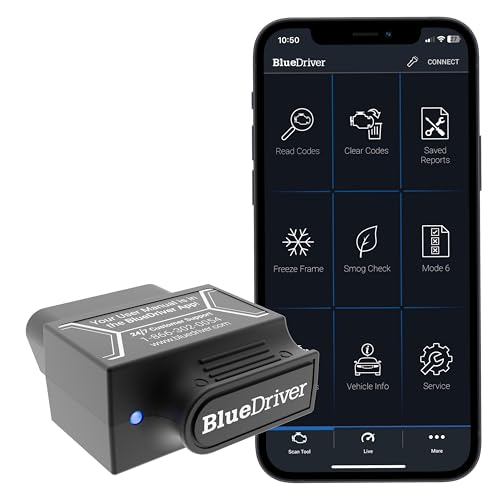
BlueDriver is positioned as a professional-grade OBDII diagnostic tool designed for iPhone and Android. It delivers comprehensive diagnostics, including the ability to read and clear codes for the engine, ABS, SRS, and other systems. With BlueDriver, users receive unlimited repair reports with potential causes and suggested fixes, along with live data while driving for ongoing vehicle-health monitoring.
The product emphasizes subscription-free access to diagnostic information and repair guidance, which can be a key differentiator for DIY enthusiasts. The tool’s robust data set and user-friendly reports help users understand what a code means and what steps might be necessary. While it targets both casual users and professionals, the depth of information makes BlueDriver a strong fit for those who want more than basic code reading.
As a diagnostic companion, BlueDriver offers a trusted, well-supported ecosystem. It relies on its own app and cloud-backed repair data to provide actionable insights. Potential buyers should note that some advanced or vehicle-specific features may require updates or app-based configurations, and performance can depend on vehicle compatibility and app version.
Vgate iCar Pro Wi-Fi OBD2 Scanner
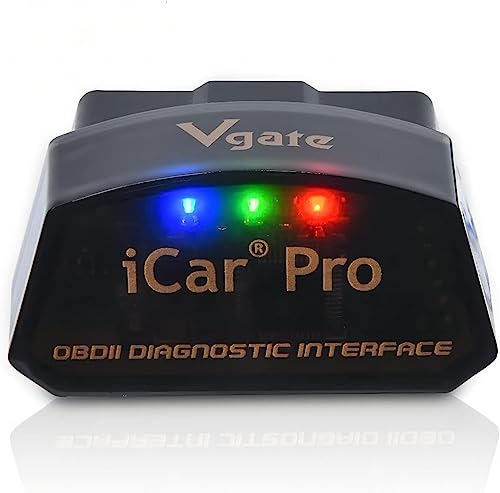
The Vgate iCar Pro Wi-Fi OBD2 Scanner is a compact, WiFi-enabled reader designed for Android and iOS devices. It emphasizes simple plug-and-play installation and broad compatibility with vehicles manufactured in the last 20 years. The device supports standard OBD2 protocols and provides real-time sensor data on your phone or tablet via a WiFi connection, enabling you to monitor engine health without dragging out a laptop or dedicated tool.
Key strengths include a straightforward setup and maintenance-friendly design. The product supports firmware upgrades, ensuring ongoing compatibility and performance improvements. The wireless connection is a practical feature for users who want a seamless diagnostic experience without cables. As with any WiFi OBD2 device, performance hinges on app compatibility and the vehicle’s specific ECU support, so checking your vehicle’s compatibility before purchase is advisable.
The Vgate iCar Pro positions itself as a reliable, budget-friendly option for drivers who want real-time data and actionable insights. Its small form factor makes it easy to leave plugged in, which is convenient for long-term monitoring. Users should consider whether they need extensive advanced diagnostics or just basic code reading and live data to determine if this scanner fits their needs.
MOCATEC WiFi ELM327 OBD2 Adapter

The MOCATEC WiFi ELM327 OBD2 adapter is a widely used WiFi-based interface for iOS and Android devices. It uses an ELM327 chipset to provide standard OBD2 functions, including fault code reading and clearing, live data, freeze frame, IM readiness, and smog-related tests. It clearly states compatibility with Torque and other mainstream apps, and it emphasizes on-road usability with continuous monitoring on a mobile device.
Users should be aware that this device is a WiFi variant of the classic ELM327, which means the app experience can vary by platform and firmware version. It does not support Bluetooth, which is a consideration for those who prefer Bluetooth devices. The adapter’s emphasis on diagnostics, live data visualization, and expanded sensor data makes it a practical choice for DIYers who want more than basic fault code reading while on the road or in the driveway.
As with all ELM327-based tools, performance and feature depth come down to the chosen app. Torque and other compatible apps can maximize the data you access from the vehicle’s ECU. The compact form factor and low power draw are advantages for ongoing, hands-off monitoring when parked or idle, while you’re working on more complex repairs.
UJS 2026 Bluetooth OBD2 Scanner
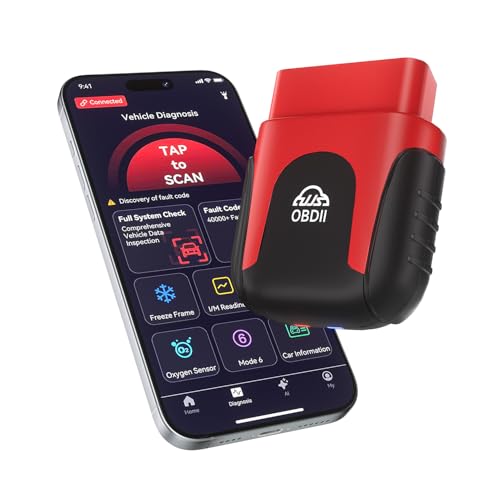
The UJS 2026 model focuses on AI-powered insights and wireless convenience for iPhone and Android users. This compact, cable-free scanner plugs into the OBD2 port and provides real-time data through a Bluetooth 5.4 connection. Its standout feature is AI-driven health reports generated from live data and freeze-frame information, delivering actionable repair guidance without requiring mechanical expertise.
With a claimed ultra-compact design and 24/7 monitoring capabilities, the UJS unit targets users who want continuous diagnostics without clutter. The AI aspect helps translate technical readings into comprehensible guidance. Potential buyers should consider whether they value AI-generated insights and whether their preferred diagnostic apps support the device’s data interpretation. Battery impact and device compatibility should also be reviewed in the context of their vehicle model and year.
Buying Guide: Key Purchase Considerations And Comparisons
Compatibility And Protocol Support
Check whether the scanner supports your vehicle’s year, make, and model. Look for devices that cover CAN, KWP2000, ISO9141-2, J1850 PWM/VPW, and IM readiness. Some devices excel with certain brands, while others offer broad universal compatibility. If you own a hybrid or electric vehicle, verify EV-specific support and any limitations in advanced features.
Connection Type And App Ecosystem
WiFi vs Bluetooth can affect ease of use and battery consumption. WiFi often provides faster data transfer and broader compatibility with tablets, while Bluetooth can be simpler for phones. Assess the required app ecosystem: some scanners require proprietary apps, while others work with popular third-party apps. Consider whether you want real-time graphs, repair reports, or just basic code reading.
Data Depth And Diagnostic Capabilities
Diagnose codes, read live sensor data, display freeze frames, and view readiness for SMOG tests. Some devices offer advanced features like ABS/SRS/TPMS codes, EVAP tests, and repair guidance. Decide how deep you need the diagnostics to be for ongoing maintenance or for DIY repairs without professional tools.
Power Management And Longevity
Look for auto-sleep or low-power modes to minimize battery drain when left plugged in. Long-term monitoring benefits from low standby power, especially if you plan to leave the scanner connected for extended periods. Firmware upgrade options can extend compatibility over time, ensuring continued usefulness as vehicle electronics evolve.
Price, Reliability, And Support
Budget-friendly models are appealing, but reliability and app support matter for consistent performance. Check warranty details, return policies, and the availability of software updates. Consider user reviews regarding ease of use, compatibility with your preferred apps, and the quality of diagnostic reports.
Overall, the best WiFi OBD2 scanner for a user hinges on a balance of vehicle compatibility, preferred app experience, data depth, and whether real-time insights or repair guidance are your priority. For casual users, entry-level readers with a straightforward app may suffice. For enthusiasts or professionals, a robust tool with extensive diagnostic capabilities and reliable support is more appropriate.